
Aadhaar In Google Wallet: How It Works And How To Save It
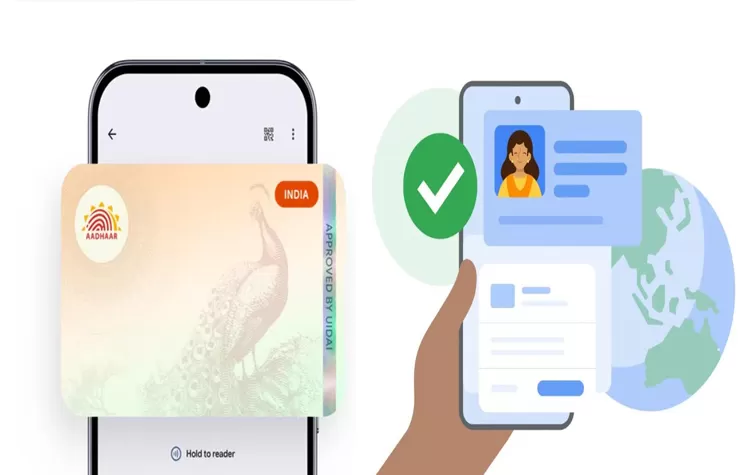
Google and UIDAI partnership behind the feature
- Google developed its new Google Wallet feature through a collaboration with the Unique Identification Authority of India.
- The system permits users to keep their Aadhaar information in digital format within their Wallet application.
- The objective requires users to stop using their physical Aadhaar cards while they can store their identity information on their smartphones.
Google Wallet provides a protected area where users can access their identification documents whenever they require them. The user needs to verify their identity before they can access Aadhaar which becomes part of their digital collection.
What saving Aadhaar in Google Wallet means for users
-
People can use their Aadhaar information from Google Wallet to verify their identities whenever they need to do so.
- People can access most situations without needing to possess their physical identification document.
- People can use the stored identification for verification purposes which will work in both online systems and physical locations that use digital identity verification methods.
- The system permits users to share only specific Aadhaar information without sharing all their details.
Key benefits of using Aadhaar in a digital wallet
Offline and online verification support
- Aadhaar stored in Google Wallet can be used in both digital and real-world verification scenarios.
- This system enables users to verify their identity through a process that does not require them to manage physical documents.
Limited data sharing for specific needs
- Some situations require only essential information which includes age.
- The system allows partial sharing instead of exposing full Aadhaar information.
- This system protects data from being unnecessarily shared during the verification process.
Where Aadhaar in Google Wallet can be used
Current supported platforms
- Google has confirmed that Aadhaar-based verification in Wallet can be used on selected platforms.
- These include services such as PVR INOX and BharatMatrimony.
- These platforms support identity checks using digital Aadhaar access.
Upcoming integrations
- More platforms are expected to support this feature.
- Google has mentioned upcoming availability on services like MyGate and SnapID.
- This expansion will increase where digital Aadhaar verification can be used.
Step-by-step guide to save Aadhaar in Google Wallet
To add Aadhaar to Google Wallet, users need to follow a simple process:
- Open the latest version of Google Wallet.
- Tap on “Add to Wallet” or the “+” button.
- Select “ID & Passes” or the “Aadhaar Card” option.
- Enter the OTP sent to the mobile number linked with Aadhaar.
- Complete verification to store Aadhaar in the Wallet.
After this, Aadhaar becomes available inside the app for future use.
Alternative method using UIDAI “Share ID” option
- Users can also add Aadhaar through the official UIDAI app.
- The “Share ID” feature in the UIDAI app allows Aadhaar details to be transferred to Google Wallet.
- This method uses the same mobile-linked verification process for security.
Tags Cloud