
Instagram Introduces Profile Grid Reordering
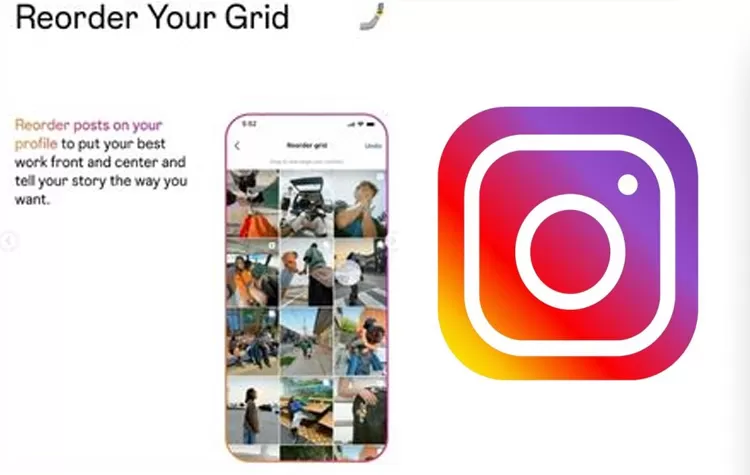
Instagram just rolled out a new feature that sort of gives people more control over how their profiles look, i mean more control in a way that actually matters. It’s called Reorder Grid, and basically it lets users shift the location of posts on their profile page without deleting anything or reposting. So yeah, you can tweak the order of your grid, like in whatever way you want, instead of being stuck with the default layout.
A New Way to Organize Your Profile
A lot of Instagram users want their profile pages to feel consistent, with a certain visual vibe or layout. Before this, it was kind of tricky to change where a post sat, because posts would show up based on the upload date. Once the new update landed, that limitation is gone, and now customizing the look of your profile feels much more manageable.
Instagram also put out a video on its blog that shows how this works, step by step, or at least in a way that makes it easy to follow.
How Instagram Profiles Worked Before
Before, Instagram used to show posts in reverse chronological order. Newer posts appeared at the top of the profile grid, while older ones got pushed downward as more content was added.
That setup left users with not much wiggle room if they wanted a different arrangement. In a lot of cases, people had to delete posts and repost them, just so the layout would match the style they were going for.
What the Reorder Grid Feature Changes
More Control Over Post Placement
- With Reorder Grid, users can move posts to different spots inside their profile grid. This is a big deal for creators, businesses, and individual accounts, because it adds more freedom when they’re organizing their content.
- You can emphasize posts you care about more, build a kind of repeating pattern, or arrange everything around your personal preferences, whatever works.
Upload Dates Stay the Same
Even though the visible position can change, the original upload date doesn’t. Reordering only changes how posts appear on your profile page, it does not alter the actual publishing time.
Feature Availability
Instagram has begun rolling out the Reorder Grid feature, though it s not like it hits everyone at once. The release is happening little by little, so some accounts might see it sooner than others. The company says they’ll bring it to all users in stages, like phases, one after another.
How to Reorder Posts on Your Profile
- Go to Your Profile
- Open up the Instagram app, then head to your profile page.
- Pick the Reorder Grid thing
- Press and hold the post you want to shift. After a moment a menu pops up. Tap Reorder Grid, so it opens the editing view.
- Keep the Updated Layout
- You ll now see your posts inside the editing screen. Drag them around, arrange them in the order you like best. When you re done, save the changes, so your profile grid updates right away.
Tags Cloud